THE BOOTIO TOOLKIT
Design the page.
Understand the whole project.
Layout, code, assets and dynamic features in one desktop workspace. Here is what the current application can do.
Visual structure.
Fine control.
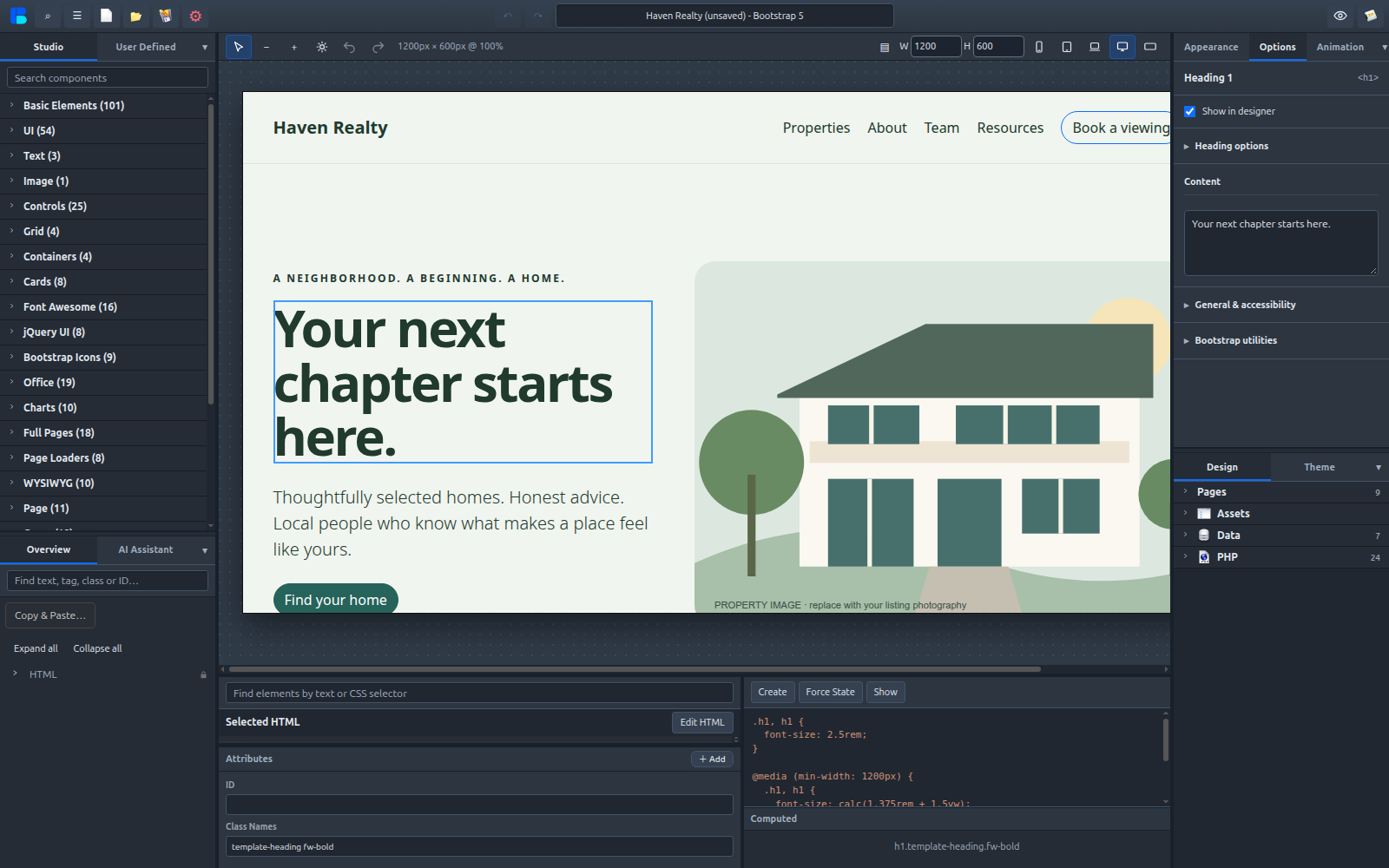
Browse component families, select elements in the canvas or Overview, and adjust the properties that matter. Collapsible, resizable side panels make room for the way you work.
- Bootstrap 5 component catalog
- Responsive styles and breakpoint controls
- Searchable, named Overview elements
- Linked components across pages
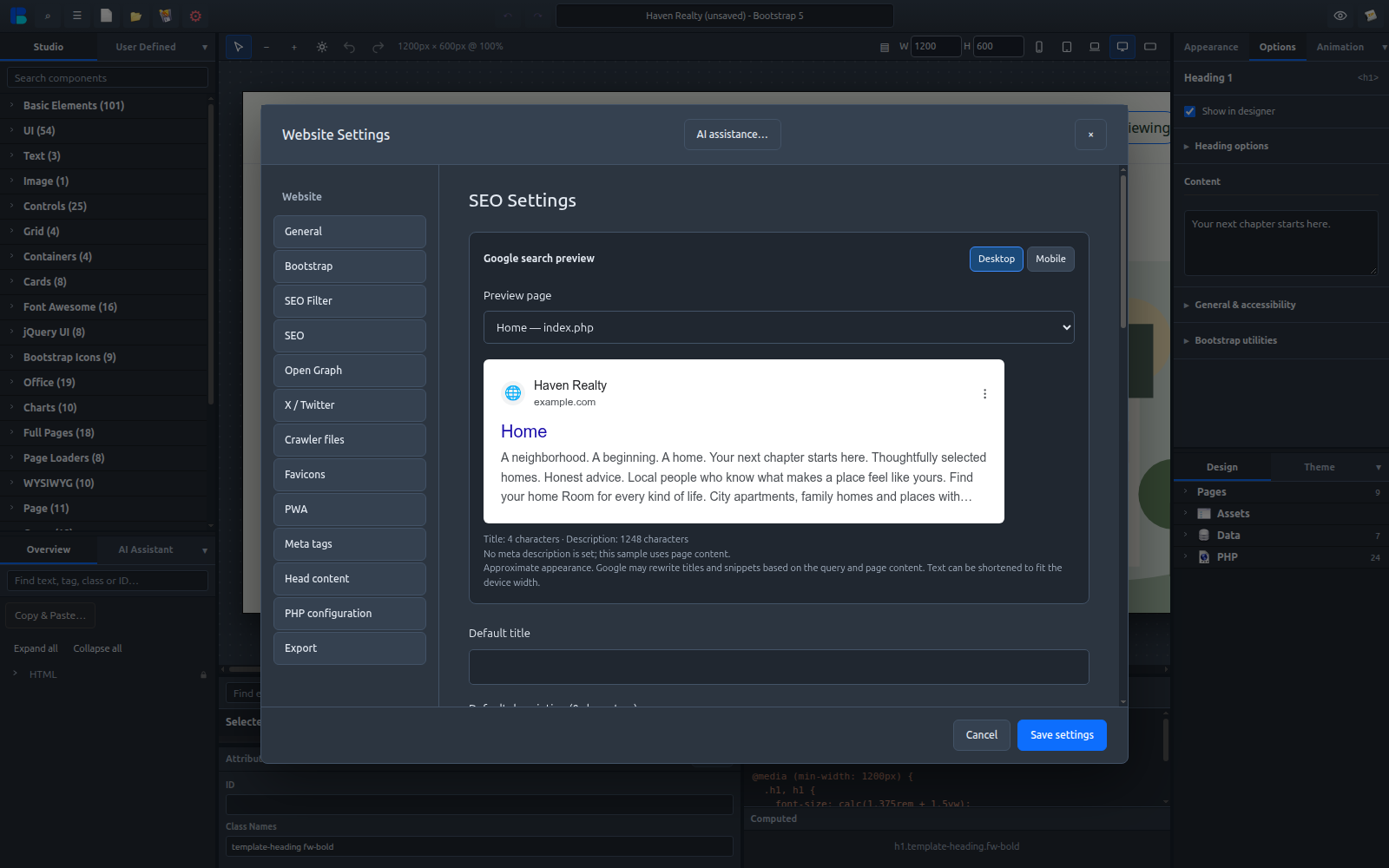
Website settings,
in the workflow.
Manage default titles, descriptions, social metadata, favicons and head content. Select pages for indexing and sitemap inclusion, and configure page overrides.
Schema.org options and rich-results guidance help you prepare structured data. Search-result previews illustrate possible appearance; search engines determine actual presentation and ranking.
STATIC OR DYNAMIC
Your project can
do more.
Choose static HTML when that is what you need. Choose a PHP project when your site needs server-side workflows. Dynamic capabilities require compatible runtime and hosting configuration.
Smart forms
Set up fields, storage, email templates and success/failure handling. Configure and test the server-side workflow before publishing.
SQLite and bindings
Inspect project databases and connect data to website elements. Templates demonstrate catalog and inquiry workflows.
Uploaders
Configure allowed files, limits and PHP upload handling for the workflows your site needs.
Routes and pages
Organize multi-page sites and dynamic routes. Review your web server configuration when publishing PHP projects.
Code when you need it
Selected HTML, editable code files and style controls work together. Manage CSS/JS files and external tag attributes in the project.
Components you can keep
Personal component families and startup templates let you reuse your own work. Template-created projects are independent copies.
Local AI assistance
Request element and content changes through the configured local Ollama integration. Models and local hardware setup are separate prerequisites; review generated changes.
Small tools. Useful possibilities.
Charts and animations
Chart components, data configuration and scoped animation libraries help you add movement and visual context.
Rich-text components
WYSIWYG presets and document, spreadsheet and presentation examples support interactive website content.
Images and assets
Browse project images, import local files, optimize images and organize assets. Remote services require their own credentials and terms.
Browser Office examples are not Microsoft Office replacements. Their edits are session-based; available downloads use CSV or HTML.